Viewing Score Filters
Only district and school-level users have access to the Score Filters page.
The https://equityanalyticsms.com/score_filters page gives district and school users a filter-by-filter view of which students are tagged across subjects and grade levels.
This view helps users confirm which students are tagged and verify alignment between support assignments and student performance.
What You Can See
-
Filter Type
Select between Consultant, Intervention, or Alternative filters to see tagged students. -
Subject and Grade
Use the dropdown menus to filter students by subject (e.g., English, Math) and grade level. -
Tagged Students List
Once a filter, subject, and grade are selected, you’ll see a list of students who are currently tagged. This view updates automatically as tags are added or removed.
Step-by-Step: Viewing Tagged Students
Follow these steps to see which students are currently tagged under each score filter:
-
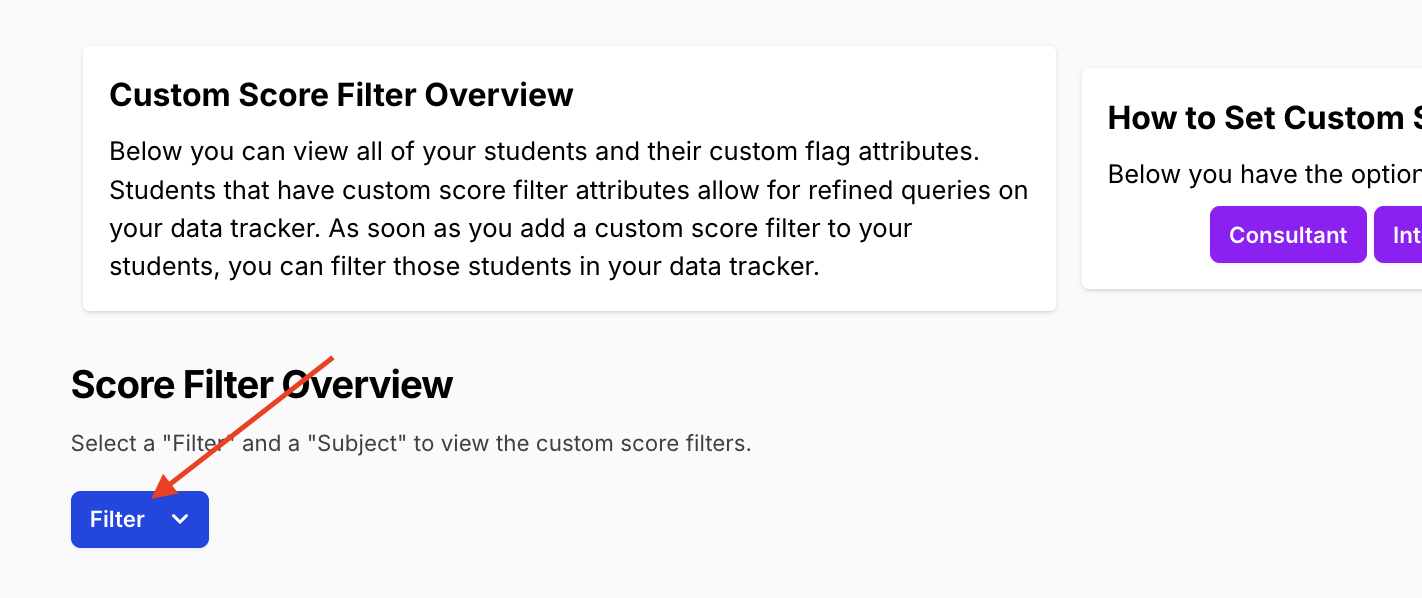
Go to the Score Filters page
Navigate to https://equityanalyticsms.com/score_filters -
Select a Filter Type
Choose one of the available filters:- Consultant
- Intervention
- Alternative
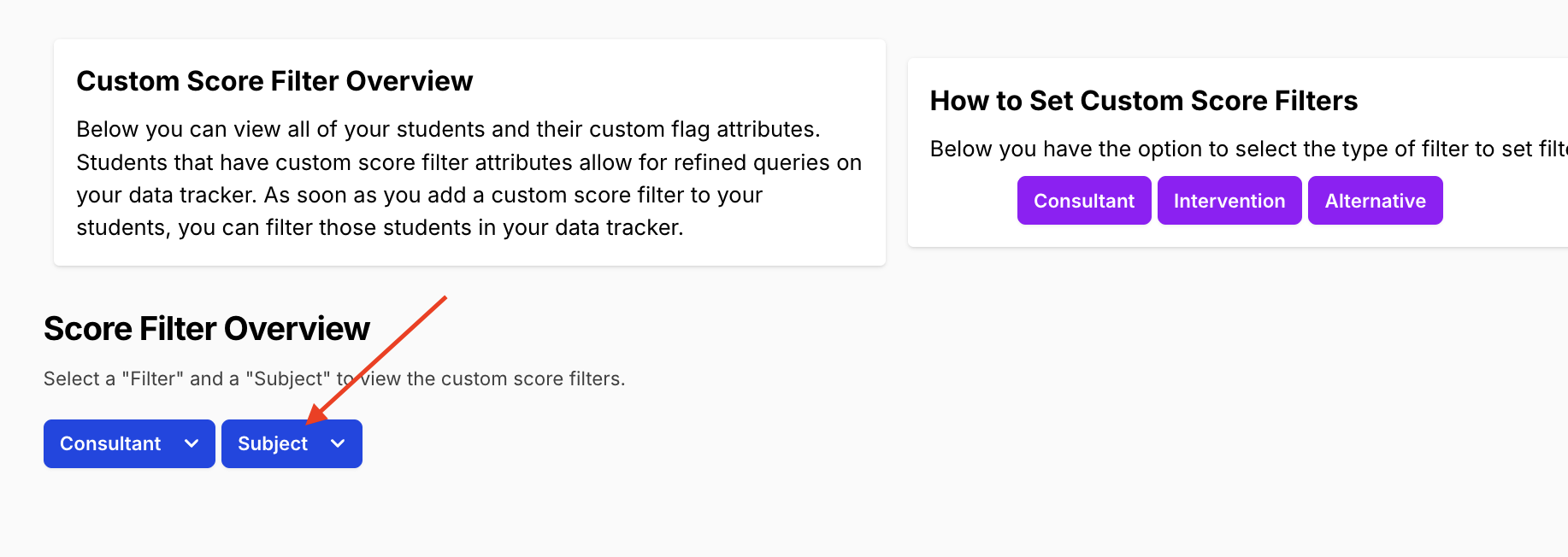
 3. Choose a Subject
Use the Subject dropdown to view by subject (e.g. English, Math).
 4. View Tagged Students
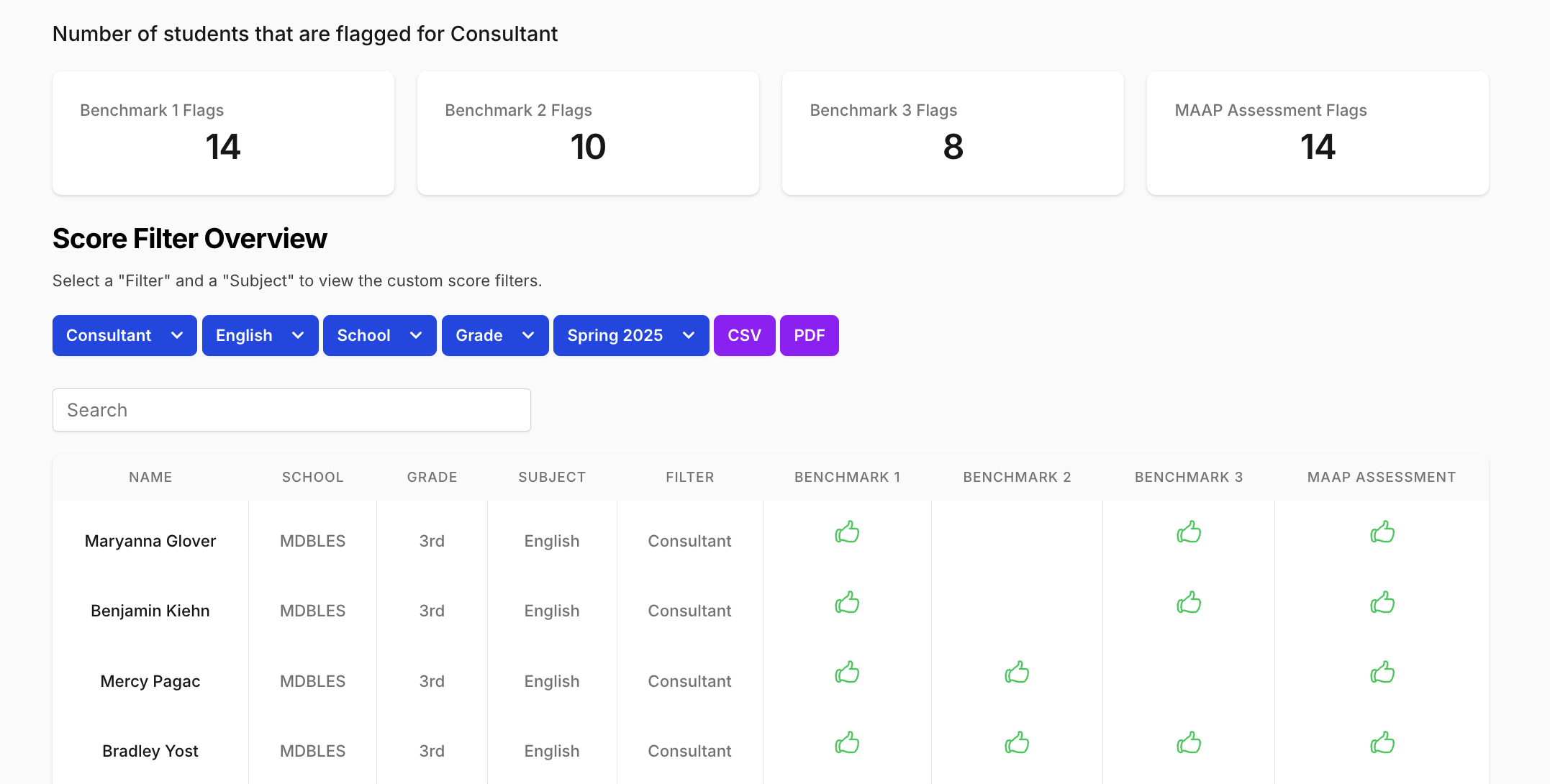
- The page will display a list of students who are currently tagged under the selected filter, subject, and grade.
- You’ll see:
- Student name
- Benchmarks
- Tag status (checkboxes)
Exporting Filters
The Score Filters page includes built-in export options.
From this page, you can:
- Download a CSV of students tagged under the selected filter, subject, and grade
- Export a PDF view of the current filter selection for documentation or team review
These exports reflect the current selection and provide a clear snapshot of how students are grouped under each support context.
Next Steps
- Setting Score Filters
Learn how to tag students under each filter type (Consultant, Intervention, Alternative, etc.) and how those tags are saved.
Support
If you encounter any issues:
- Helpdesk Ticket: Helpdesk Ticket
- Website: https://equityanalyticsms.com