Creation
Creating Month 8 Enrollments
Only district-level administrators have the ability to add or edit Month 8 Enrollments.
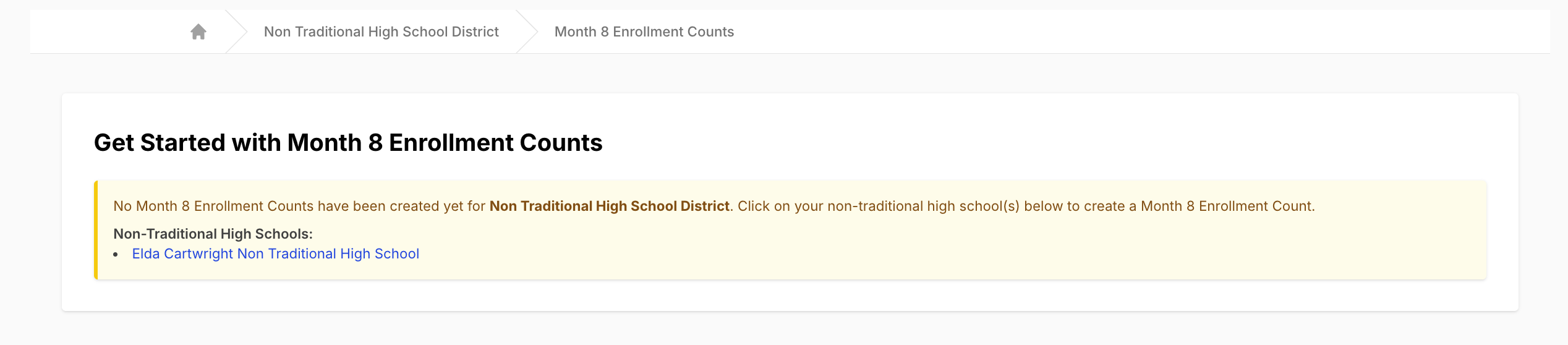
If no Month 8 Enrollments exist for a school, the page will display all non-traditional high schools.
How to Create Month 8 Enrollments
- Navigate to your Equity Analytics homepage and log in.
-
Click "Click Here to View" next to Month 8 Enrollments on the left hand side of your homepage.

-
If no records exist, click on the school name(s) listed.
-
Click the green "New Month 8 Enrollment" button.

-
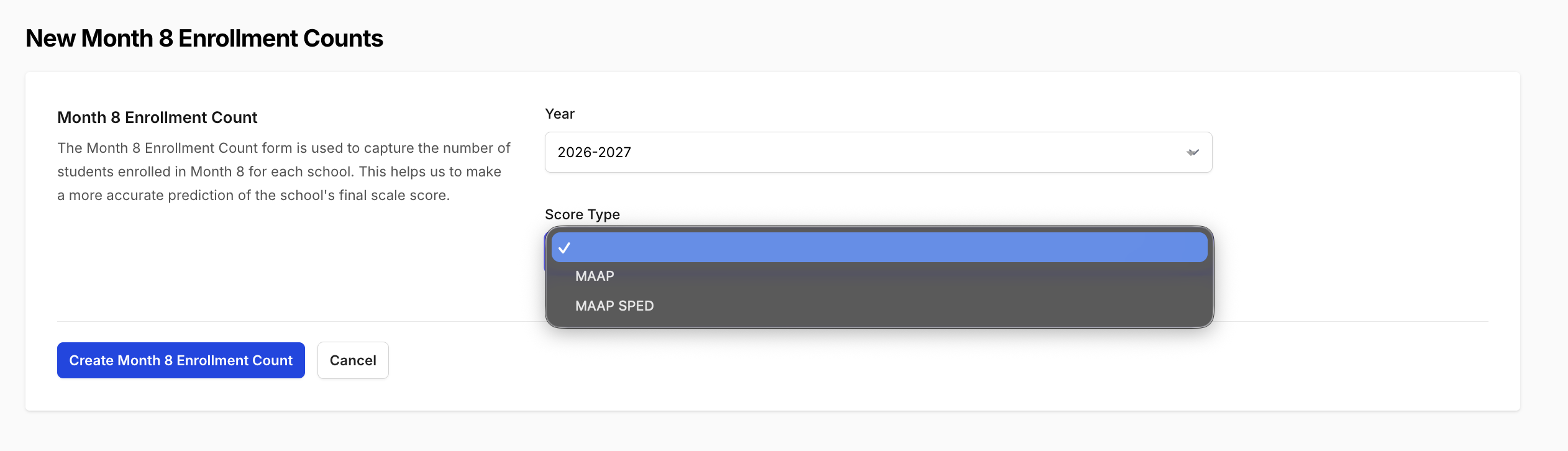
On the form:
- Select the Year from the dropdown
- Select the Score Type from the dropdown
-
Click "Create Month 8 Enrollment Count".
Entering Enrollment Counts
Once created:
- The form will display all grades served by the school (excluding grade 9)
- Each grade will default to 0
For each grade:
- Enter the finalized Month 8 enrollment count based on the MSIS enrollment report
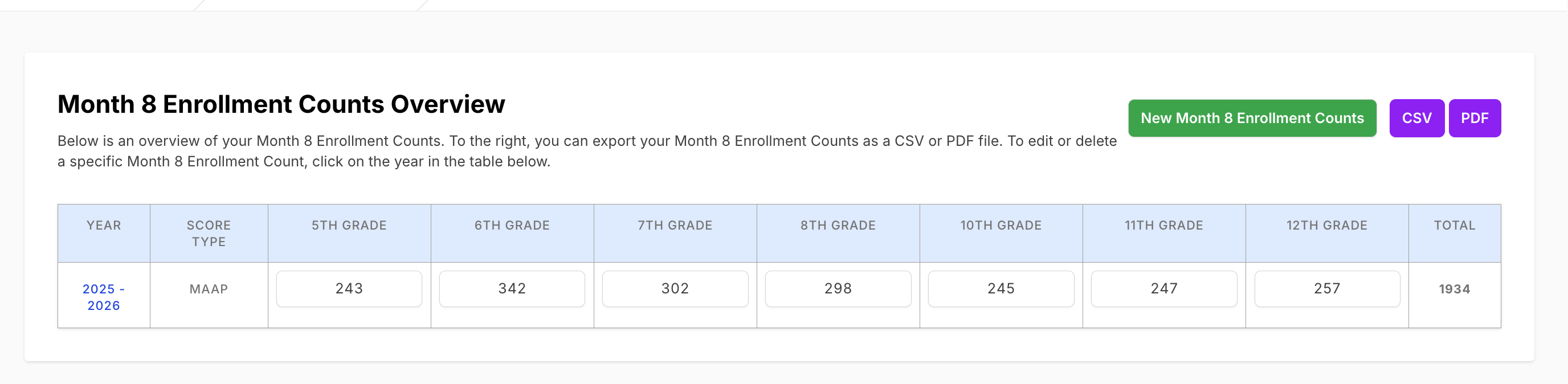
Grade 9 is excluded because those students are accounted for when they reach the 10th grade in accountability calculations.
Auto-Save Behavior
As you enter values:
- The form will automatically save your changes
- No additional save button is required
What Happens After You Create Month 8 Enrollments
Once Month 8 Enrollments are created for a non-traditional high school, those counts become a critical part of the school’s accountability calculation.
How the Data Is Used
- The entered Month 8 enrollment counts become the official student totals for each grade band.
- These counts are used as the source of truth for weighting in accountability calculations.
Impact on Accountability Calculations
- The total number of students in each group (below 9th grade and grades 9–12) is calculated using the Month 8 data.
- Each group’s composite score is weighted based on the proportion of students in that group.
- This is done by applying each group’s score relative to its share of the total student population.
Result
- The overall high school impact score is recalculated using these weighted values.
- Any updates to Month 8 enrollment counts will directly affect the school’s final accountability outcome.
Why This Matters
Month 8 Enrollments directly determine how much each group of students contributes to the final score.
Accurate entry is essential, as changes in enrollment counts can impact the school’s overall performance classification.
Final Notes
- Ensure all counts match the official MSIS Month 8 enrollment report
- Accurate counts are critical, as they directly impact accountability weighting calculations
Support
If you encounter any issues:
- Helpdesk Ticket: Helpdesk Ticket
- Website: https://equityanalyticsms.com