Teacher Grade Visibility Flag
Overview
The Teacher Grade Visibility Flag is a configurable setting at the district level that controls whether teacher-level letter grades (A–F) are visible on the Equity Analytics platform. Districts use this setting to determine whether teacher impact grades are visible to users, based on local policies or leadership preferences.
Purpose
This feature allows districts to:
- Choose whether teacher impact grades should be visible to users
- Align platform access with district policies and leadership discretion
- Control access to teacher-level grades without affecting visibility of school or district-level grades
Behavior
| Role | Flag ON (Enabled) | Flag OFF (Disabled) |
|---|---|---|
| Teachers | Can view the grade (A–F) on their impact data | Cannot view the grade (A–F) on their impact data |
| School Users | Can view teacher grades and school-level grades | Cannot view teacher grades; can view school-level grades |
| District Users | Can view teacher grades, school, and district grades | Cannot view teacher grades; can view school and district grades |
When the flag is enabled:
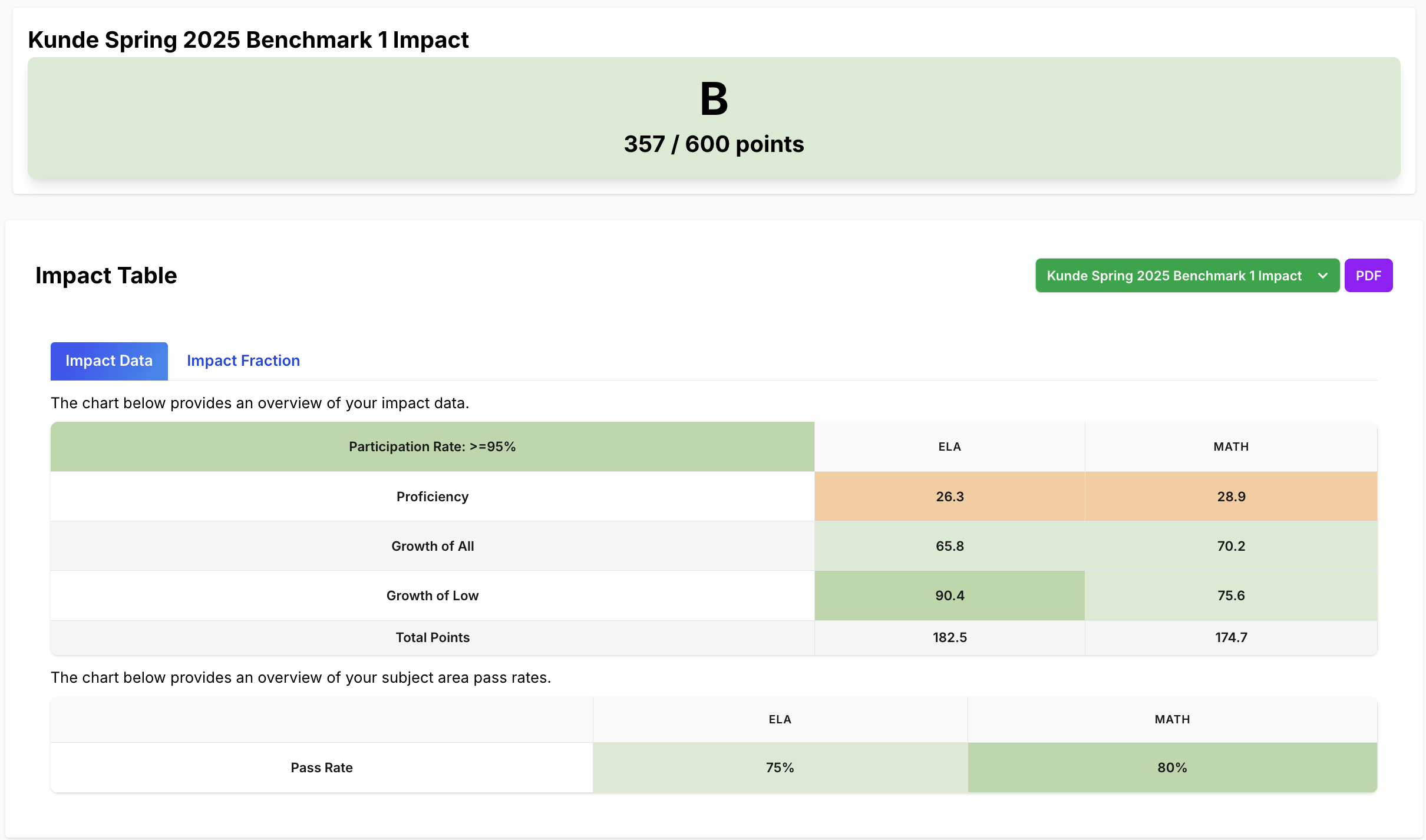
- Teacher-level grades (A–F) are visible to all users: teachers, school users, and district users
When the flag is disabled:
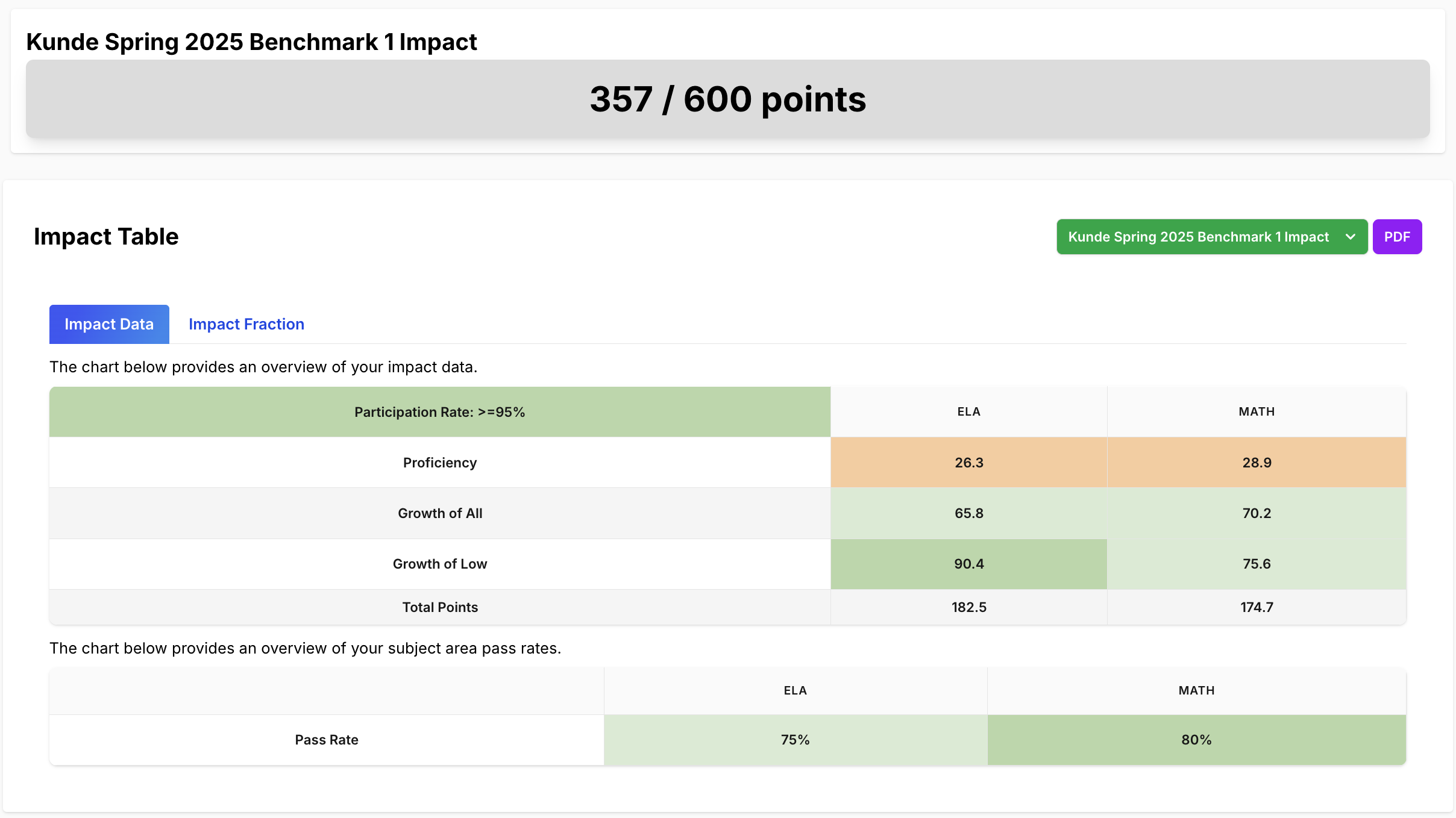
- Teacher-level grades (A–F) are hidden from all users, including teachers themselves
Note: This flag only affects visibility of teacher-level grades. Access to school-level and district-level grades is always available to school and district users, respectively.
Configuration
The Teacher Grade Visibility Flag is a global setting applied at the district account level. It is not role-specific or scoped by user. If the flag is set to enabled, all users with permission to view teacher data will see teacher grades. If it is set to disabled, teacher grades are hidden from all users, including the teachers themselves.
There is no partial or selective visibility. The setting is either fully on or fully off.
Even when teacher grades are hidden, the underlying impact data remains fully available. Teachers, school users, and district users can still see:
- Proficiency metrics
- Growth metrics
- Pass rate metrics
Only the overall letter grade (A–F) assigned to a teacher is removed when the flag is off. This ensures that critical instructional data is still accessible for review and support purposes.
Example
The images below show a comparison of the same teacher view with the flag ON and OFF.
Flag ON – Teacher Grade Visible
Flag OFF – Teacher Grade Hidden
Requesting a Change
Districts can request changes to this setting by contacting the Equity Analytics support team by opening a Helpdesk Ticket. Please include the following details:
- District name
- Requested setting (enable or disable)
- Desired effective date (optional)
Support
If you encounter any issues:
- Helpdesk Ticket: Helpdesk Ticket
- Website: https://equityanalyticsms.com