Adding SLAIF Scores
Overview
The SLAIF Scores section allows district administrators to manually enter official state-level assessment results for students who are missing data due to transfer, enrollment timing, or other special circumstances. These scores directly affect projections in accountability ratings, including LPS subgroup performance and overall student outcomes.
This feature aligns with the Mississippi Department of Education’s accountability framework and is used to ensure that every eligible student’s data is accurately represented in the system.
Purpose
The SLAIF Scores feature ensures that districts maintain complete, accurate assessment data for all students.
Students may be missing SLAIF scores for several reasons:
- Transferred from another Mississippi public school district
- Did not take a state assessment
- Transferred from out of state, private school, or homeschool
Adding missing SLAIF scores helps:
- Improve the accuracy of projected accountability ratings
- Ensure LPS subgroup data reflects all eligible students
- Maintain compliance with MDE accountability reporting requirements
Access and Permissions
Only district-level administrators can create and manage SLAIF scores.
If you have official score reports for a student but do not have access to this feature, please send the reports to your district administrator for entry.
How to Access and View SLAIF Scores
- Log in to Equity Analytics with your district email credentials.
- From the left-hand navigation menu, locate the section labeled SLAIF Scores.
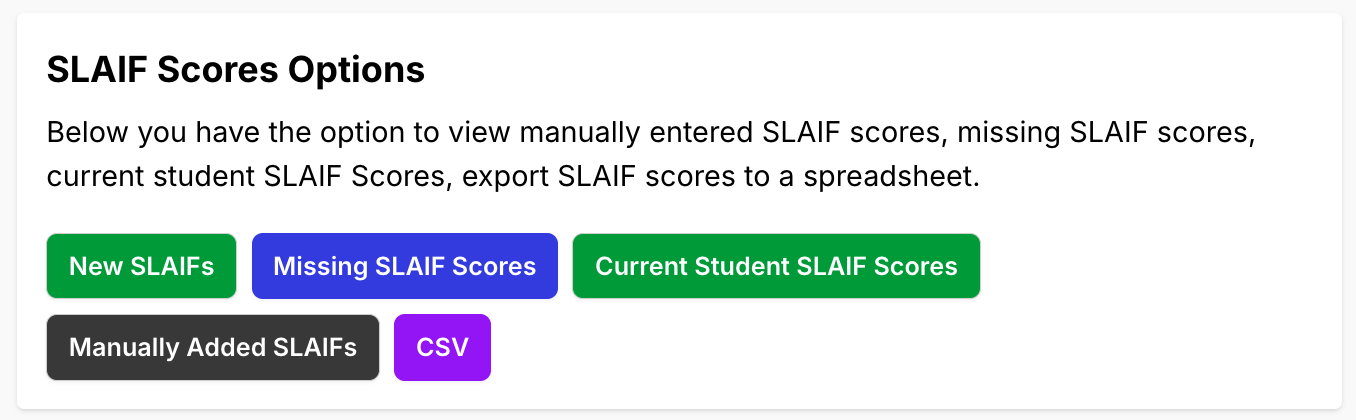
- Click the green "Click here to view" button next to SLAIF Scores.

If you do not see this option, please contact your district administrator or open a Helpdesk Ticket.
How to Add SLAIF Scores
Once on the SLAIF Scores page, district administrators can add missing scores by following these steps:
-
Click the green "New SLAIFs" button in the top-right corner.
-
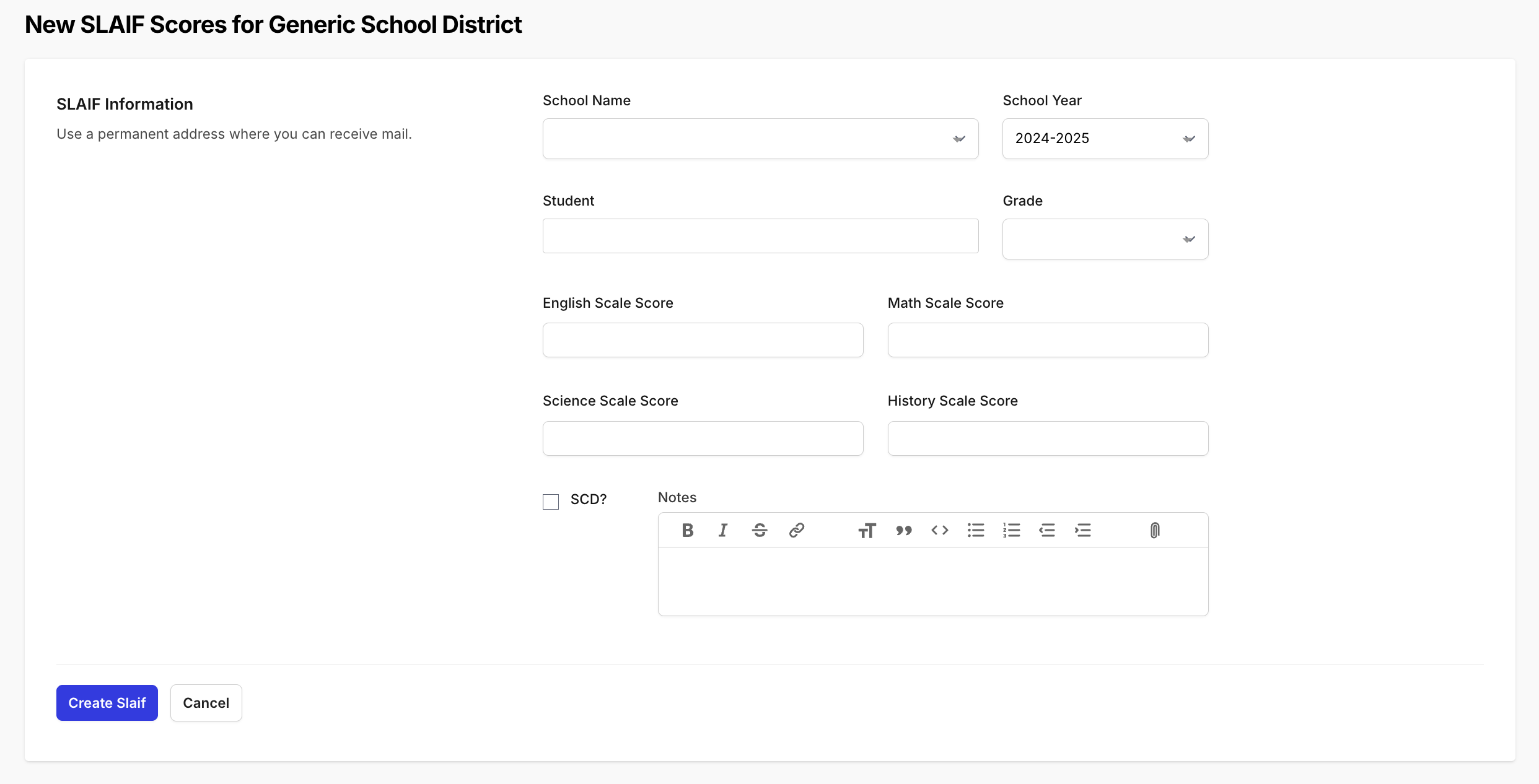
Choose the School.
- Choose the Year.
- Choose the Student.
- Enter the relevant Scale Scores for each subject area (not all students will have every subject):
- English
- Math
- Science
- History
- Check the SCD box if the student is a Student with a Significant Cognitive Disability (SCD).
- Add any necessary notes for documentation or verification purposes.
- Click Create SLAIF to save the record.
Important Notes
Data Verification: Before submission, confirm that:
- The student’s name and MSIS ID are correct.
- The year and school are accurate.
- Scale scores are entered exactly as they appear on the state report.
Accuracy Matters: Only official assessment results should be entered. Always verify scores against the student’s state report or testing documentation.
Why Completing SLAIF Data Is Important
Adding missing SLAIF scores ensures:
- More accurate projected accountability ratings
- Complete subgroup data (LPS, EL, SPED, etc.)
- Valid growth projections for district and school improvement planning
- Fair representation of student outcomes across all campuses
Incomplete SLAIF data can result in underreported performance and inaccurate projections.
Support
Need help adding or verifying SLAIF scores?
- Helpdesk Ticket: Helpdesk Ticket
- Website: https://equityanalyticsms.com